
If your Keurig K-Mini Single Serve Coffee Maker isn’t turning on, it can be frustrating, especially when you need your morning coffee. Often, the issue is simple and fixable without the need for professional repair. This guide walks you through practical, safe steps to troubleshoot and resolve power issues with your Keurig.

Get kitchen gear delivered free — and shop member deals
- Fast, free delivery on millions of items
- Access to Prime Big Deal Days deals on October 6–7
- Prime Video, Amazon Music and more included
Before starting, ensure the coffee maker is unplugged and handled with care to avoid any damage or safety hazards.
Key Takeaways
| Check Power Connection | Ensure the power cord is properly plugged into a functioning outlet. |
| Inspect the Power Button | Make sure the power button is pressed fully and not stuck. |
| Test Outlet Functionality | Try plugging another device into the outlet to verify it works. |
| Reset or Unplug | Unplug the machine for a few minutes before plugging it back in. |
| Check for Internal Damage | Look for visible damage or loose parts if the machine still doesn’t power on. |
Step 1: Verify the Power Source
- Unplug your Keurig K-Mini from the outlet.
- Try plugging it into a different, known working outlet.
- Test the outlet with another device to confirm power supply.
Step 2: Check the Power Cord and Button
- Inspect the power cord for any visible damage or fraying.
- Ensure the power button is pressed firmly and not stuck.
Step 3: Reset and Power Cycle
- Unplug the coffee maker and wait for at least 2-3 minutes.
- Plug it back in securely.
- Press the power button to see if it turns on.
Step 4: Check for Internal Issues
If the machine still does not turn on, inspect for any visible damage or loose internal components. Do not attempt to open the device yourself unless you are qualified, as this may void warranty or cause further damage.
Additional Tips and Warnings
- Always unplug the machine before inspecting or cleaning.
- A faulty power outlet or damaged cord can cause power issues; replace or repair as needed.
- If your Keurig is under warranty, contact customer support before attempting repairs.
The Products in This Guide

Keurig K-Mini Single Serve K-Cup Pod Coffee Maker
- ✔ Capacity: 6-12 oz
- ✔ Dimensions: Less than 5 inches wide
- ✔ Weight: 4.6 pounds

My K-Cup® Reusable Coffee Filter
- ✔ Material: BPA-Free Plastic
- ✔ Capacity: Single cup
- ✔ Compatibility: Keurig models including K-Brew+Chill
Keurig K-Mini Single Serve K-Cup Pod Coffee Maker
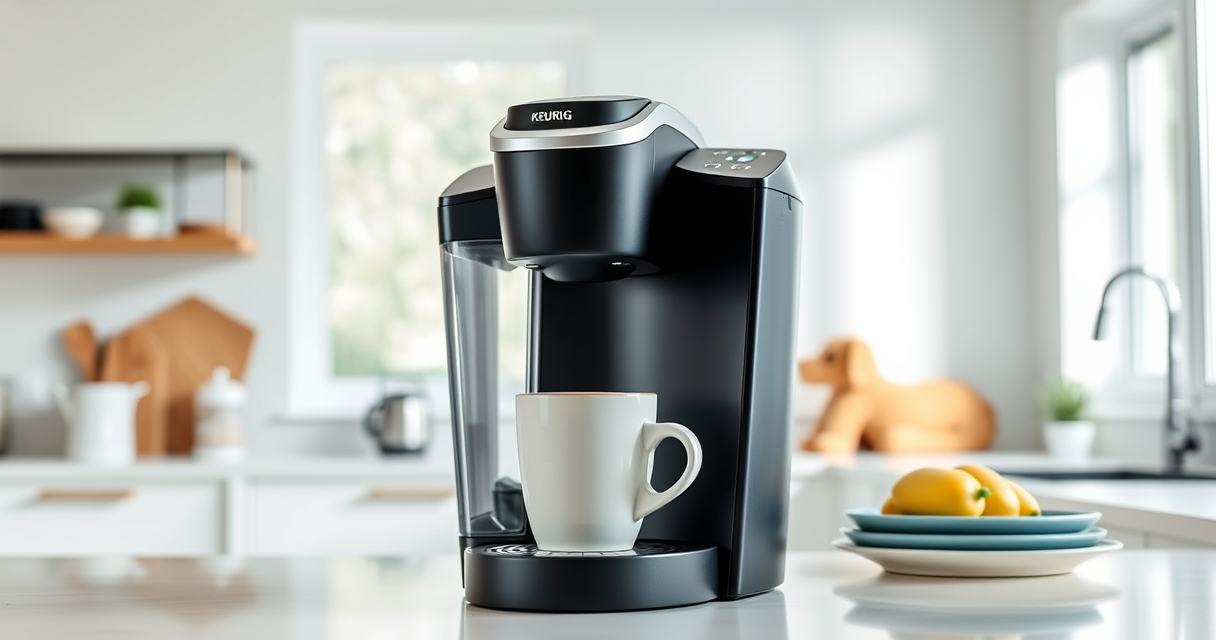
The Keurig K-Mini is a compact, space-saving single serve coffee maker that is perfect for small spaces. Its simple design and fast brewing make it a popular choice, but if it won’t turn on, following these steps can help resolve common power issues.
Pros:
- Space-saving design
- Fast brew times
- Removable drip tray
- Cord storage
Cons:
- Limited to 6-12oz brews
- No on/off button indicator
- Can be sensitive to power issues
Best for: Small apartments, dorm rooms, offices
Not ideal for: Users needing multiple cups at once or advanced features
Bottom line: A compact, reliable coffee maker ideal for small spaces when properly powered.
My K-Cup® Reusable Coffee Filter
The My K-Cup® Reusable Coffee Filter allows you to brew your favorite ground coffee with your Keurig, reducing reliance on K-Cup pods and offering more customization.
Pros:
- Brew with ground coffee
- Eco-friendly reusable filter
- Compatible with various Keurig models
- Cost-effective in the long run
Cons:
- Requires manual filling
- May need cleaning more frequently
- Not compatible with all models
Best for: Eco-conscious users and ground coffee lovers
Not ideal for: Those preferring convenience of pre-packaged pods
Bottom line: A versatile reusable filter that enhances your coffee options and reduces waste.
Frequently Asked Questions
What should I do if my Keurig still doesn’t turn on after troubleshooting?
If your coffee maker remains unresponsive, contact Keurig customer support or consider professional repair, especially if under warranty.
Can a faulty power cord cause the machine not to turn on?
Yes, a damaged or frayed power cord can prevent proper power flow. Replace the cord or have it repaired by a professional.
Is it safe to open my Keurig to check for internal issues?
No, opening the device can be dangerous and may void your warranty. If needed, seek professional repair services.
How often should I descale my Keurig?
Descale your Keurig every 3-6 months or as recommended in your user manual to prevent mineral buildup and ensure proper operation.
Getting Your Coffee Maker Back in Action
Power issues with your Keurig K-Mini are often simple to troubleshoot. By verifying your power source, inspecting the cord and button, and performing a reset, you can often resolve the problem yourself. If these steps don’t work, professional help or warranty service may be necessary. Remember to handle electrical components carefully and follow safety tips to keep your repair safe and effective.
Affiliate disclosure: As an Amazon Associate we earn from qualifying purchases. Prices and availability are accurate as of the time of publishing.
Fall Picks
fall essentials
As an affiliate, we earn on qualifying purchases.