TL;DR

Get kitchen gear delivered free with Prime
- Fast, free delivery on millions of items
- Prime Video, Amazon Music and more included
- Member-only deals all year
Strings found in HomeView Software 27.2 suggest Apple’s forthcoming HomeView display could use its built-in camera for HomeKit Secure Video, including motion detection, live viewing and recording. Apple has not announced the feature, and key details about sleep detection, camera permissions and image previews remain unknown.
Software strings discovered in Apple’s forthcoming HomeView smart home display suggest its built-in camera could also work as a HomeKit Secure Video camera, supporting motion detection, live viewing and recording, much like other home security camera systems. The feature has not been announced by Apple: the finding, reported by HomeKit News and Reviews on November 1, comes from settings text in HomeView Software 27.2 rather than a public product specification.
HomeKit News and Reviews said the strings were first spotted by Reddit user u/pdfu in the Settings app bundles for HomeView Software 27.2. The text describes an option to enable security-camera functions on the device. One setup message reads: “Your HomeView can be used as a security camera with HomeKit Secure Video.” That wording is evidence of a feature represented in the software, but does not confirm that Apple will ship it.
The reported settings describe four camera modes: turning off security functions, enabling motion detection without streaming, allowing live viewing without recording, or permitting both streaming and recording. They also refer to three household conditions: When Home, When Away and When Asleep. Apple Home already supports different camera behaviour depending on whether household members are home or away; the strings do not explain how the proposed sleep condition would work.
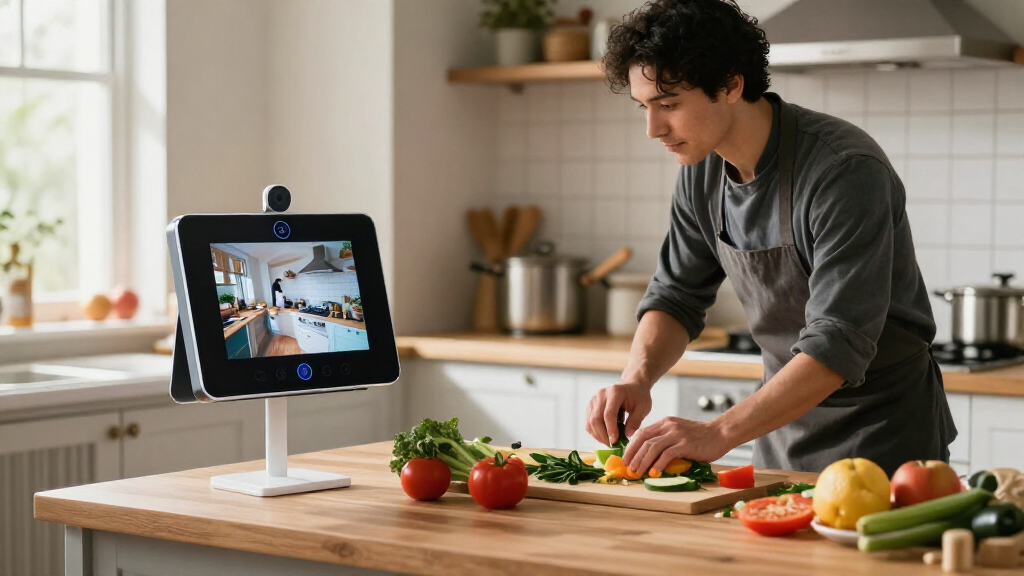
HomeView is already described as having a 12-megapixel Center Stage camera for FaceTime calls and facial recognition. The newly reported text suggests the same hardware may have a security use. According to the report, settings for facial recognition and Activity Zones would be managed in the Home app on an iPhone, while location information from household members’ Apple devices could help determine whether people are home or away.
A Display That Could Also Monitor
If Apple releases the feature as described, HomeView could combine a household display and video-calling device with an indoor security camera. That may let users add camera coverage without installing a separate device, and offer control over whether the camera detects motion, streams video or records. The practical value will depend on the final features, setup requirements and how they work with existing Apple Home configurations.
The same combination makes privacy and household consent central to the product. A display in a living room, kitchen or bedroom may face people who did not configure it, including children, visitors or other residents. A visible recording indicator can communicate camera activity, but it does not settle who has authority to enable recording, who can view footage or whether everyone in the camera’s field of view agrees to its use.
The report says the strings describe safeguards including a green on-screen indicator and an audible sound when someone accesses a live stream or recording begins. They also refer to notifications when HomeKit Secure Video settings change, under a feature label translated in the report as “No Silent Changes.” If implemented, such measures could make activity more apparent, though their effectiveness would depend on how noticeable they are in a home.
Products Worth Considering

Ninja Foodi Smart 6-in-1 Indoor Grill and Air Fryer, 4 Qt, FG551

Ninja DualZone Smart XL Air Fryer, 10-Qt, 6-in-1, DZ950

KitchenAid Classic Series 4.5-Quart Tilt-Head Stand Mixer, Onyx Black
As an affiliate, we earn on qualifying purchases.
What the Software Strings Show
The finding is based on text inside software bundles, not a product announcement, hands-on test or confirmation from Apple. Strings can reveal planned controls, but they do not establish that a feature is complete, enabled for users or destined to appear in the final product. The report therefore describes a possible capability rather than a confirmed HomeView specification.
The strings also refer to a possible camera-preview behaviour. According to HomeKit News and Reviews, HomeView may occasionally capture a still image to refresh its preview when a household member opens the Home app on another device. The report says a green indicator would appear during this activity. A refreshed preview is different from a live stream or saved recording, but the distinction could matter to people near a camera-equipped display.
The report says only members of the Apple Home household would be able to access streams and recordings. It does not establish whether HomeView would use the same permission controls as other HomeKit cameras, or whether every household member would have equal access to footage or settings. The report also raises the possibility of end-to-end encryption for recordings, but the discovered strings described do not independently confirm the product’s final security design.
“Your HomeView can be used as a security camera with HomeKit Secure Video.”
— HomeView setup text quoted by HomeKit News and Reviews
Feature, Permissions and Sleep Rules
Apple has not confirmed that HomeView will support HomeKit Secure Video, or that the described controls will ship. It is also unclear when HomeView will be released, whether the software strings reflect a finished feature, and whether Apple could change or remove the functions before launch.
The reported text does not explain how HomeView would determine that people are asleep, how the device would handle disagreements among household members, or which members could change recording settings and access footage. The precise restriction on enabling streaming and recording while people are home also remains untested. The report says this setting may need to be enabled on the display itself, but its wording does not establish exactly how that safeguard would operate.
It is also unclear how often preview images might be captured, what triggers each capture, how long images would be retained, and how conspicuous the indicator and sound would be in different rooms. The material does not establish what consent tools or controls would be available to people who live with, or visit, the household but do not manage its Apple Home setup.
Awaiting Apple’s Product Details
The next firm indication would be an Apple announcement or final HomeView software documentation describing the camera functions, release timing and available privacy controls. Until then, the reported strings should be treated as evidence of a possible feature under development, not confirmation that it will reach customers.
If Apple confirms the mode, product details and testing would need to clarify how household states work, whether preview refreshes capture still images, which users can access or change settings, and what notice the device gives during camera activity. Those points will determine how the feature works in practice, especially in shared spaces. No launch date or further company statement is provided in the source report.
Key Questions
Has Apple confirmed that HomeView can record security video?
No. Apple has not confirmed the feature. The report points to strings in HomeView Software 27.2 that describe HomeKit Secure Video controls, but those strings do not establish that the feature will ship.
What camera modes were described in the reported strings?
The settings reportedly cover four modes: security functions off, motion detection without streaming, live viewing without recording, and streaming with recording. Their availability in a final product is unconfirmed.
What privacy safeguards might HomeView include?
The report says the software strings describe a green indicator and an audible sound during live access or recording, plus notifications when camera settings change. Apple has not publicly confirmed how these safeguards would work.
How would the proposed “When Asleep” setting work?
The strings mention a When Asleep condition alongside When Home and When Away, but do not explain how the device would detect sleep or what camera behaviour the condition would trigger.
Could HomeView capture an image when someone opens the Home app?
The report cites software references suggesting HomeView may capture a still image to refresh its camera preview when a household member opens the Home app elsewhere. The trigger, frequency and retention details have not been confirmed by Apple.
Source: homekitnews.com