If your COSORI 9-in-1 TurboBlaze Air Fryer is displaying error codes, it can be frustrating and disrupt your cooking plans. These error messages are designed to alert you to specific issues, but many can be fixed at home with simple troubleshooting steps. In this guide, you’ll learn how to identify common error codes, perform safe resets, and maintain your air fryer for optimal performance.

Get kitchen gear delivered free with Prime
- Fast, free delivery on millions of items
- Prime Video, Amazon Music and more included
- Member-only deals all year
Before you start, ensure your appliance is unplugged and cooled down. Proper troubleshooting can save you time and possibly avoid costly repairs or replacements. Follow these clear, step-by-step instructions to get your COSORI air fryer back in top shape.
Key Takeaways
| Error Identification | Recognize and interpret common error codes. |
| Reset Procedures | Perform safe resets to clear errors. |
| Maintenance Tips | Keep your air fryer clean for reliable operation. |
| When to Seek Help | Identify persistent issues needing professional repair. |
Understanding Common Error Codes
Many COSORI air fryers display error codes to indicate specific problems. Common error codes include E1, E2, and E3, which often relate to heating issues, sensor errors, or electrical faults. Refer to your user manual or the device’s display to identify the exact code.
For example, an E1 error might signal a temperature sensor malfunction, while an E2 could indicate a problem with the heating element. Recognizing these codes helps determine the appropriate troubleshooting steps.
Step 1: Unplug and Reset the Air Fryer
- Unplug your COSORI air fryer from the power outlet.
- Wait at least 5 minutes to allow internal components to reset.
- Plug the air fryer back in and turn it on.
- Check if the error code reappears.
If the error persists, proceed to the next steps.
Step 2: Clean the Interior and Check for Obstructions
- Ensure the air fryer is completely cooled down and unplugged.
- Remove the basket and any attachments, such as racks or liners.
- Clean the interior, heating element, and sensors with a soft cloth and mild detergent.
- Inspect for food debris or grease buildup that could affect sensor readings or heating.
Proper cleaning can resolve errors caused by dirt or residue interfering with sensor functions.
Step 3: Inspect and Reset Safety Features
Your COSORI air fryer has safety features that may trigger error codes if a door or basket is not properly seated. Ensure all components are securely in place:
- Reinsert the basket firmly into the unit.
- Check that the door (if applicable) is fully closed and latched.
After confirming everything is secure, perform a reset by unplugging the device for 5 minutes, then plugging it back in.
Step 4: Update Firmware and Check Power Supply
If your model supports smart control via the app, ensure the firmware is up to date. Follow the manufacturer’s instructions for updating firmware through the app or device settings.
Additionally, verify your power supply:
- Use a different outlet to rule out power issues.
- Avoid extension cords or power strips, which can cause voltage fluctuations.
Step 5: Contact Customer Support or Professional Repair
If none of the above steps resolve the error, it may indicate a hardware fault such as a faulty sensor or heating element. Contact COSORI customer support for guidance or consider professional repair options.
Always prioritize safety. Do not attempt to repair internal components yourself unless you are qualified.
The Products in This Guide

Cosori 9-in-1 TurboBlaze Air Fryer 6 Qt
- ✔ Weight: Approximate weight not specified
- ✔ Dimensions: Not specified
- ✔ Included Accessories: N/A

ALJ 3PCS Air Fryer Oven Mesh Rack
- ✔ Color: Silver
- ✔ Weight: Lightweight
- ✔ Design: Mesh racks
Cosori 9-in-1 TurboBlaze Air Fryer 6 Qt
The COSORI 9-in-1 TurboBlaze Air Fryer 6 Qt offers advanced TurboBlaze technology for even cooking and a versatile range of functions. Its smart control capabilities make troubleshooting easier through app updates and guides.
Pros:
- Powerful TurboBlaze technology for even results
- Multiple cooking functions including bake and broil
- Smart control via app for convenience
- Precise temperature control up to 450°F
Cons:
- Error codes can sometimes indicate hardware issues
- Learning curve for new users
- Requires regular cleaning for optimal performance
Best for: Home cooks seeking a versatile, tech-enabled air fryer.
Not ideal for: Users uncomfortable with troubleshooting or repairs.
Bottom line: A feature-packed air fryer that benefits from proper maintenance and troubleshooting.
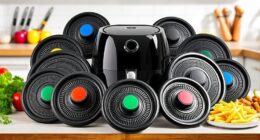
ALJ 3PCS Air Fryer Oven Mesh Rack
The ALJ 3PCS Air Fryer Oven Mesh Rack set is perfect for enhancing cooking efficiency and even crispiness in your COSORI air fryer. Made of food-grade stainless steel, these racks are dishwasher safe and easy to clean.
Pros:
- Improves airflow for even cooking
- Made of durable, food-grade stainless steel
- Dishwasher safe for easy cleaning
- Compatible with various air fryer sizes
Cons:
- Additional accessories may take up space
- Requires cleaning after use
- Not a replacement for regular baskets
Best for: Cooking multiple items or enhancing crispiness.
Not ideal for: For users who prefer all-in-one baskets or minimal accessories.
Bottom line: A versatile accessory to improve cooking results in your air fryer.
Frequently Asked Questions
What should I do if my COSORI air fryer displays an error code?
Unplug the device, wait 5 minutes, and then perform a reset. Check for obstructions or residue, and ensure all components are properly seated. If the error persists, contact customer support.
Can I fix hardware issues myself?
It’s recommended to seek professional repair or contact COSORI support for hardware problems. Do not attempt internal repairs unless qualified, as it can be dangerous.
How often should I clean my air fryer?
Regular cleaning after each use helps prevent errors caused by dirt or grease buildup. Remove the basket and clean with a soft cloth and mild detergent.
Is firmware update necessary for troubleshooting?
If your model supports smart control, keeping firmware updated via the app can improve performance and resolve software-related error codes.
What accessories can enhance my air fryer experience?
Mesh racks, liners, and crisper trays can improve airflow, cooking efficiency, and ease of cleanup. Make sure they are compatible with your model.
Getting Your COSORI Air Fryer Back in Action
While error codes can be alarming, most issues with your COSORI 9-in-1 TurboBlaze Air Fryer are solvable with simple troubleshooting. Regular maintenance, proper cleaning, and careful component checks can prevent many common errors. If problems persist, reaching out to customer support ensures safe and effective repairs, helping you continue enjoying fast, healthy, and delicious meals with your trusted appliance.
Affiliate disclosure: As an Amazon Associate we earn from qualifying purchases. Prices and availability are accurate as of the time of publishing.
Fall Picks
fall essentials
As an affiliate, we earn on qualifying purchases.