
TL;DR

Get kitchen gear delivered free with Prime
- Fast, free delivery on millions of items
- Prime Video, Amazon Music and more included
- Member-only deals all year
The Verge’s Jennifer Pattison Tuohy tried Apple’s newly announced HomeView, a $299 smart-home display with a 7-inch touchscreen, Siri and controls for Apple Home devices. The hands-on covered selected features, while several Siri capabilities were shown in demonstrations rather than tested directly. Preorders are open, with shipping scheduled to start Nov. 13.
Apple has announced HomeView, its first smart-home display, and The Verge’s Jennifer Pattison Tuohy has tried the $299 device ahead of its planned Nov. 13 shipping start. The 7-inch touchscreen is designed to control Apple Home devices, show camera feeds and run Siri features, putting a dedicated home interface alongside Apple’s phones and tablets.
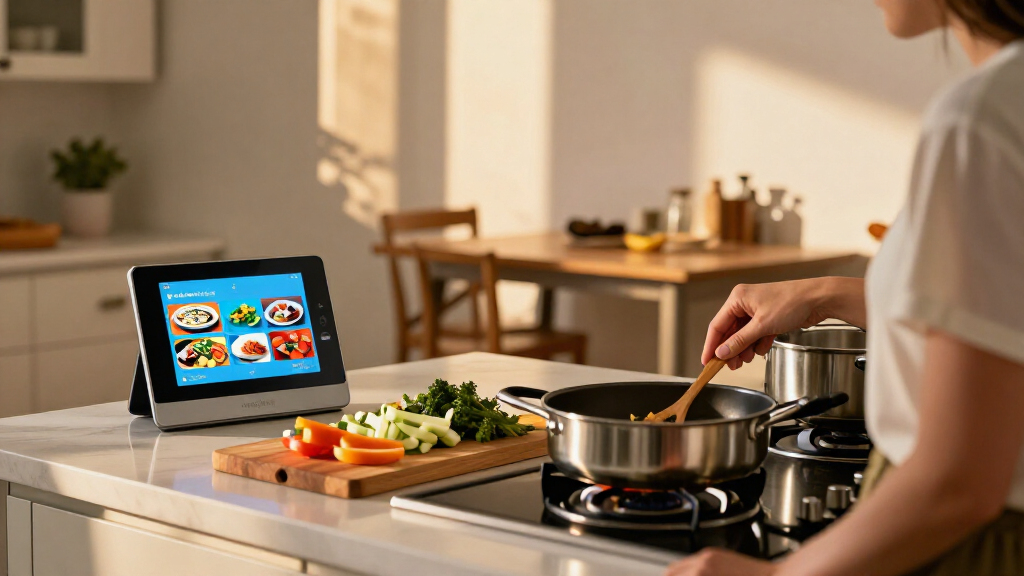
Tuohy described HomeView as smaller than expected, with a square Liquid Retina display that nearly conceals its small aluminum speaker base. In her hands-on, she found the screen bright and responsive, and reported that users can swipe among display “faces,” many of which resemble Apple Watch faces. Apple is offering tabletop and wall-mounted versions.
A Home Widget face brings controls from the Apple Home app onto the larger screen. Tuohy tried tapping to control a thermostat and door lock and to activate a scene. She also viewed HomeKit Secure Video camera feeds and accessed nearby accessories from a camera view. When she tried to unlock a door, the display required authentication with her face or iPhone.
The report describes a gesture-based interface: swipes move among faces and features, while tapping widgets opens deeper app controls. A swipe from the top brings up a Control Center, and the built-in 12-megapixel camera can be enabled there. Tuohy also saw a FaceTime demonstration in which Center Stage kept participants framed, and described the device as potentially useful for countertop calls.
A Dedicated Screen for Apple Home
HomeView gives Apple users a walk-up control point for connected household devices, rather than requiring them to find an iPhone or use voice commands for every task. Its camera feeds, device controls and wall-mount option position it as a shared household interface as well as a display for personal apps.
The more ambitious pitch is the link between Siri, personal information and home routines. In a demonstration shown to Tuohy, Siri used a message about a traveler’s flight, estimated the trip home by transit, then set the coffee maker to turn on before the expected arrival. If that kind of coordination works reliably beyond a demo, it could make Apple Home more useful for tasks that combine information and device control. The hands-on report does not establish how consistently it works.
As an affiliate, we earn on qualifying purchases.
How HomeView Fits Apple Home
The display is built around Apple’s existing Home app and HomeKit Secure Video, according to The Verge’s report. The Home Widget is described as a skin of the Home app, bringing its device controls to a screen intended for quick, touch-based use. The report does not describe HomeView as replacing the app on an iPhone; it presents the display as another way to access it.
HomeView also connects to Apple devices through Handoff. Tuohy saw a cooking feature in which a recipe opened on an iPhone could be sent to the display and reformatted with step-by-step instructions and inline timers. Apple said most recipes using Google formatting should work, but the report did not test a range of sources or formats.
“The screen almost entirely hides the small aluminum base that acts as a speaker.”
— Jennifer Pattison Tuohy, The Verge
Features Still Awaiting Testing
The hands-on covered only selected functions, and Tuohy said she had not yet tested HomeView more fully. The Siri example that combined a text message, travel estimate and coffee-maker routine was a demonstration, not a feature she tested herself. The same applies to the example that played a song mentioned in a friend’s text.
The report does not establish how well Siri handles different requests, how recipe support works across services such as TikTok, or how HomeView performs in everyday use. It also does not give details on battery or power arrangements, software support duration, or whether all features will be available at launch. These points remain unanswered in the source material.
Preorders and November Shipping
Apple has opened preorders at $299, with shipping scheduled to begin Nov. 13, according to The Verge report. The next useful update will be fuller testing of the device’s controls, Siri functions, recipe transfer and video calling under everyday conditions. Tuohy said she was looking forward to testing more features; the report does not provide a later review date.
Key Questions
What is Apple HomeView?
HomeView is Apple’s newly announced smart-home display, with a 7-inch touchscreen intended for Apple Home controls, Siri features, camera feeds and other functions.
How much does HomeView cost, and when does it ship?
The reported price is $299. Preorders are open, and shipping is scheduled to start Nov. 13.
Can HomeView control smart-home devices?
In her hands-on, The Verge’s Jennifer Pattison Tuohy used the Home Widget to control a thermostat and door lock and activate a scene. Unlocking the door prompted facial or iPhone authentication.
Were the new Siri features fully tested?
No. The report says Tuohy saw demonstrations of Siri using personal context and setting a home routine, but did not test that interaction herself. More real-world testing is still needed.
Does HomeView support recipes from TikTok?
The report does not confirm TikTok compatibility. Apple said most recipes using Google formatting should work with the Handoff cooking feature, while Tuohy said support for TikTok recipes remained an open question.
Source: rss
Halloween Picks
halloween
As an affiliate, we earn on qualifying purchases.