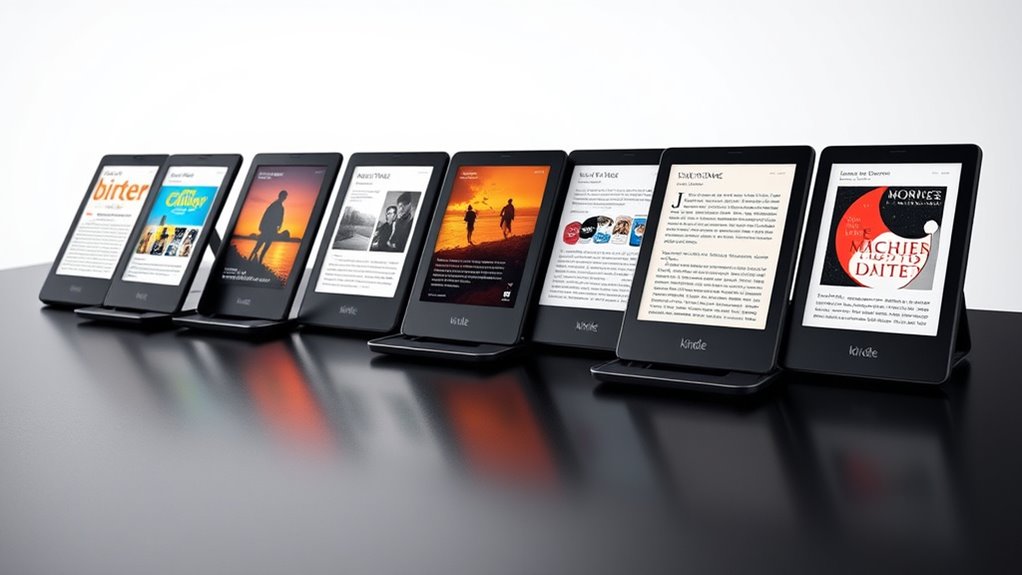

For most readers, I’d choose the Kindle Paperwhite Signature Edition (2024) as the best overall Kindle: its larger screen, adjustable lighting, and wireless charging make it a versatile everyday reader. The standard Kindle Paperwhite (2024) is a strong value alternative, while the Kindle Colorsoft suits readers who want color for covers, comics, or illustrated books. The main choices are whether a compact, lower-feature reader is enough, whether color or pen input matters, and how much storage you need. Signature features add convenience, but they are not necessary for everyone. Read on for the full breakdown of all 13 options and how I’d match each one to a reader.

Get kitchen gear delivered free with Prime
- Fast, free delivery on millions of items
- Prime Video, Amazon Music and more included
- Member-only deals all year
Complete the kit


Key Takeaways
- The Paperwhite Signature Edition leads for everyday versatility: it pairs the Paperwhite’s larger display and adjustable warm light with conveniences such as wireless charging and more storage.
- The standard Paperwhite is the practical value choice: it retains the larger screen and warm-light adjustment while skipping Signature Edition extras.
- Colorsoft fills a specific need rather than replacing every Kindle: color can help with illustrated reading, but readers focused on text-only books may prefer a simpler Paperwhite.
- The basic Kindle models prioritize portability: their smaller 6-inch screens suit commuting and one-handed reading, but offer less screen space than the Paperwhite lineup.
- The Scribe is a different kind of device: its large screen and included Premium Pen make it the pick for notes and document work, not the lightest choice for casual reading.
| Amazon Kindle Paperwhite Signature Edition (2024), 32 GB, Metallic Raspberry |  | Best Overall | Display: 7-inch Paperwhite, 300 ppi, 16-level grayscale | Storage: 32 GB | Dimensions: 5 × 7 × 0.3 in (127.6 × 176.7 × 7.8 mm) | VIEW ON AMAZON | See Our Full Breakdown |
| Amazon Kindle Colorsoft 16 GB, 7-inch Color Display, Black |  | Best for Color on a Simpler Setup | Display: 7-inch Colorsoft display | Display resolution: 300 ppi black and white; 150 ppi color | Storage: 16 GB | VIEW ON AMAZON | See Our Full Breakdown |
| Amazon Kindle Colorsoft Signature Edition, 32GB, 7-Inch Color Display |  | Best Premium Color Kindle | Display: 7-inch glare-free color display | Storage: 32 GB | Front light: Auto-adjusting with adjustable warm light | VIEW ON AMAZON | See Our Full Breakdown |
| Amazon Kindle Paperwhite Signature Edition (2024), 32 GB, Metallic Black |  | Best for a Minimalist Finish | Display: 7-inch Paperwhite, 300 ppi, 16-level grayscale | Storage: 32 GB | Dimensions: 5 × 7 × 0.3 in (127.6 × 176.7 × 7.8 mm) | VIEW ON AMAZON | See Our Full Breakdown |
| Amazon Kindle (2024, 11th Generation), 16 GB, Matcha |  | Best Compact Kindle | Display: 6-inch glare-free display with built-in adjustable light | Resolution: 300 ppi | Storage: 16 GB | VIEW ON AMAZON | See Our Full Breakdown |
| Amazon Kindle Paperwhite Kids (16 GB, 12th Generation) with Cyber City Cover |  | Best Kindle for Kids | Generation: 12th Generation, 2024 release | Display: 7-inch Paperwhite, 300 ppi, 16-level grayscale | Storage: 16 GB | VIEW ON AMAZON | See Our Full Breakdown |
| Amazon Kindle (2024, 16 GB) – 6-inch E-reader, Black |  | Best Compact Kindle | Generation: 11th generation, 2024 release | Display: 6-inch glare-free display, 300 ppi, 16-level grayscale, adjustable built-in light | Storage: 16 GB | VIEW ON AMAZON | See Our Full Breakdown |
| Amazon Kindle Paperwhite Signature Edition (12th Generation, 2024), 32 GB, Metallic Jade |  | Best Premium Kindle | Generation: 12th Generation, 2024 release | Display: 7-inch Paperwhite display, 300 ppi, 16-level grayscale | Storage: 32 GB | VIEW ON AMAZON | See Our Full Breakdown |
| Amazon Kindle 32GB (2024) – Aluminum Design, 6″ Display, No Ads |  | Best Compact Kindle for a Premium Build | Display size: 6 inches | Storage: 32 GB | Material: Aluminum | VIEW ON AMAZON | See Our Full Breakdown |
| Amazon Kindle Paperwhite (2024, 16 GB) – 7-inch Display, Black |  | Best Overall Kindle | Model: Kindle Paperwhite, 12th Generation, 2024 | Display: 7-inch Paperwhite, 300 ppi, 16-level grayscale | Storage: 16 GB | VIEW ON AMAZON | See Our Full Breakdown |
| Amazon Kindle Scribe (64GB) with Premium Pen, Metallic Jade |  | Best for Reading and Handwritten Notes | Storage: 64 GB | Display: 10.2-inch front-lit Paperwhite display, 300 ppi, 16-level grayscale | Dimensions: 7.7 × 9.0 × 0.22 inches (196 × 230 × 5.7 mm), excluding feet | VIEW ON AMAZON | See Our Full Breakdown |
| Amazon Kindle Paperwhite (2024), 16 GB, 7-inch Display, Jade |  | Best Overall for Dedicated Reading | Storage: 16 GB | Display: 7-inch Paperwhite display, 300 ppi, 16-level grayscale | Dimensions: 5 × 7 × 0.3 inches (127.6 × 176.7 × 7.8 mm) | VIEW ON AMAZON | See Our Full Breakdown |
| Amazon Kindle 16GB (Newest Model), 6-Inch Display, Ube |  | Best Compact Kindle | Storage: 16 GB | Display: 6-inch glare-free display | Brightness: Adjustable | VIEW ON AMAZON | See Our Full Breakdown |
| kindle | Storage | Battery life | Display | Dimensions |
|---|---|---|---|---|
| Amazon Kindle Paperwhite Signa | 32 GB | Up to 12 weeks under stated conditions | 7-inch Paperwhite, 300 ppi, 16-level grayscale | 5 × 7 × 0.3 in (127.6 × 176.7 × 7.8 mm) |
| Amazon Kindle Colorsoft 16 GB | 16 GB | Up to 8 weeks based on 30 minutes of daily reading, wireless off, and light setting at 13 | 7-inch Colorsoft display | — |
| Amazon Kindle Colorsoft Signat | 32 GB | Up to 8 weeks | 7-inch glare-free color display | — |
| Amazon Kindle Paperwhite Signa | 32 GB | Up to 12 weeks under specified usage conditions | 7-inch Paperwhite, 300 ppi, 16-level grayscale | 5 × 7 × 0.3 in (127.6 × 176.7 × 7.8 mm) |
| Amazon Kindle | 16 GB | Up to 6 weeks | 6-inch glare-free display with built-in adjustable light | 6.2 × 4.3 × 0.32 in (157.8 × 108.6 × 8.0 mm) |
| Amazon Kindle Paperwhite Kids | 16 GB | Up to 12 weeks under stated test conditions | 7-inch Paperwhite, 300 ppi, 16-level grayscale | 5.2 × 7 × 0.5 in (132.2 × 178 × 13.2 mm) |
| Amazon Kindle | 16 GB | Up to 6 weeks per charge | 6-inch glare-free display, 300 ppi, 16-level grayscale, adjustable built-in light | 6.2 × 4.3 × 0.32 in (157.8 × 108.6 × 8.0 mm) |
| Amazon Kindle Paperwhite Signa | 32 GB | Up to 12 weeks under specified usage conditions | 7-inch Paperwhite display, 300 ppi, 16-level grayscale | 5 × 7 × 0.3 in (127.6 × 176.7 × 7.8 mm) |
| Amazon Kindle 32GB | 32 GB | Up to 6 weeks | — | — |
| Amazon Kindle Paperwhite | 16 GB | Up to 12 weeks | 7-inch Paperwhite, 300 ppi, 16-level grayscale | 5 × 7 × 0.3 in (127.6 × 176.7 × 7.8 mm) |
| Amazon Kindle Scribe | 64 GB | Up to 12 weeks of reading or 3 weeks of writing under stated usage conditions | 10.2-inch front-lit Paperwhite display, 300 ppi, 16-level grayscale | 7.7 × 9.0 × 0.22 inches (196 × 230 × 5.7 mm), excluding feet |
| Amazon Kindle Paperwhite | 16 GB | Up to 12 weeks per charge under specified conditions | 7-inch Paperwhite display, 300 ppi, 16-level grayscale | 5 × 7 × 0.3 inches (127.6 × 176.7 × 7.8 mm) |
| Amazon Kindle 16GB | 16 GB | Up to 6 weeks | 6-inch glare-free display | — |
More Details on Our Top Picks
Amazon Kindle Paperwhite Signature Edition (2024), 32 GB, Metallic Raspberry
For readers who want a capable everyday Kindle without a color screen, this Paperwhite Signature Edition is my best all-around pick. Its 7-inch, 300 ppi display gives text a crisp appearance, while the auto-adjusting front light adapts to changing surroundings instead of making you reset the brightness by hand. Compared with the compact Kindle (2024, 11th Generation), the larger screen is more comfortable for long reading sessions, and IPX8 waterproofing adds reassurance by the pool or in the bath. The tradeoff is that it is heavier and less pocketable than that basic Kindle, and its extra capacity may be unnecessary for readers with small libraries. Wireless charging is supported, but the charging dock is sold separately; battery life also falls with heavier use, especially audiobook streaming.
Pros:- 7-inch, 300 ppi glare-free display offers crisp text and more reading space
- Auto-adjusting front light adapts brightness to the environment
- 32 GB storage accommodates a large library and other content
- IPX8 waterproofing and wireless charging support add convenience
Cons:- Wireless charging dock is sold separately
- Larger and heavier than the 6-inch Kindle (2024)
- Battery life varies with use, and audiobook streaming reduces it
Best for: Readers who want a sharp, roomy screen, waterproof protection, and ample storage for a varied Kindle library.
Not ideal for: Readers who prioritize a pocket-sized, lighter device or want color highlighting; the basic Kindle is smaller, while the Colorsoft models add color.
- Display:7-inch Paperwhite, 300 ppi, 16-level grayscale
- Storage:32 GB
- Dimensions:5 × 7 × 0.3 in (127.6 × 176.7 × 7.8 mm)
- Weight:7.5 oz (214 g)
- Battery life:Up to 12 weeks under stated conditions
- Charging:USB-C; wireless charging supported
- Waterproofing:IPX8; tested to 2 m in fresh water for 60 minutes
- Connectivity:Dual-band Wi-Fi (2.4 GHz and 5.0 GHz); Bluetooth audio
- Color:Metallic Raspberry
Our verdict“Choose this Paperwhite for a roomy, sharp, waterproof Kindle experience; pick the basic Kindle if portability matters more.”
Amazon Kindle Colorsoft 16 GB, 7-inch Color Display, Black
The standard Kindle Colorsoft is the straightforward choice for readers who want color on the page without stepping up to the Signature Edition’s 32 GB capacity. Its 7-inch display supports color highlighting, which makes marked passages and illustrated material easier to distinguish than on the monochrome Paperwhite models. Compared with the Kindle Colorsoft Signature Edition, this version has less storage and its listed features do not include an auto-adjusting warm light, but it still provides adjustable lighting, Dark Mode, and IPX8 waterproofing. Color comes with a real compromise: it renders at 150 ppi, below the 300 ppi black-and-white resolution, so readers focused on crisp text may prefer the Paperwhite. The stated battery life is up to eight weeks, shorter than the Paperwhite Signature Edition’s stated maximum.
Pros:- Color display supports color highlighting
- Adjustable display light and Dark Mode support different reading conditions
- IPX8 waterproof protection suits reading near water
- 16 GB storage holds books and other content
Cons:- Color resolution is 150 ppi, lower than its 300 ppi black-and-white resolution
- Up to eight weeks of stated battery life is less than the Paperwhite Signature Edition’s maximum
- Battery life varies with use, and Audible streaming reduces it
Best for: Readers who want color highlighting for notes, covers, and illustrated content but do not need 32 GB of storage.
Not ideal for: Text-first readers who want the sharpest monochrome display or the longer stated battery life of the Paperwhite Signature Edition.
- Display:7-inch Colorsoft display
- Display resolution:300 ppi black and white; 150 ppi color
- Storage:16 GB
- Battery life:Up to 8 weeks based on 30 minutes of daily reading, wireless off, and light setting at 13
- Charging:USB-C; fully charges in less than 2.5 hours with a 9W adapter
- Weight:7.6 oz (215 g)
- Waterproofing:IPX8; tested to withstand immersion in 2 m of fresh water for 60 minutes
- Wi-Fi:2.4 GHz and 5.0 GHz
- Warranty:1-year limited warranty
Our verdict“Pick this Colorsoft if color highlights matter more than maximum text sharpness, storage, or battery life.”
Amazon Kindle Colorsoft Signature Edition, 32GB, 7-Inch Color Display
Readers committed to color get the fullest feature set here: the Colorsoft Signature Edition combines a 7-inch glare-free color display with 32 GB of storage, an auto-adjusting front light, and adjustable warm light. That larger capacity distinguishes it from the 16 GB Kindle Colorsoft, giving readers more room for downloaded books and other content. Color highlighting in five colors also suits people who mark passages for reference. Compared with the monochrome Paperwhite Signature Edition, this model gives up the Paperwhite’s stated up-to-12-week battery maximum for up to eight weeks, while adding color as the central benefit. It is waterproof and includes no ads or notifications, but the supplied details do not list a resolution, weight, or charging method. Page-turn cover and wireless remote are separate purchases, and Kindle Unlimited requires a subscription.
Pros:- 7-inch glare-free color display supports highlighting in five colors
- 32 GB storage provides more room than the 16 GB Kindle Colorsoft
- Auto-adjusting front light includes adjustable warm light
- Waterproof design and Dark Mode support flexible reading settings
Cons:- Up to eight weeks of battery life is below the Paperwhite Signature Edition’s stated maximum
- Page-turn cover and wireless remote are sold separately
- Kindle Unlimited access requires a subscription
Best for: Readers who regularly use color highlights or illustrated reading material and want 32 GB plus warm-light adjustments.
Not ideal for: Readers who mainly read plain text, want the Paperwhite Signature Edition’s longer stated battery life, or expect a page-turn cover or remote in the box.
- Display:7-inch glare-free color display
- Storage:32 GB
- Front light:Auto-adjusting with adjustable warm light
- Battery life:Up to 8 weeks
- Waterproofing:Waterproof
- Ads:None
- Color:Fig
Our verdict“Choose this Signature Edition when color reading and extra storage justify giving up the Paperwhite’s longer stated battery life.”
Amazon Kindle Paperwhite Signature Edition (2024), 32 GB, Metallic Black
This black Paperwhite Signature Edition delivers the same core reading setup as the Metallic Raspberry version: a 7-inch, 300 ppi grayscale screen, 32 GB of storage, auto-adjusting front light, and wireless charging support. The choice between them is mostly a finish preference, not a performance decision. Against the Kindle Colorsoft Signature Edition, this Paperwhite favors crisp monochrome text and a stated battery life of up to 12 weeks rather than color highlighting and up to eight weeks. Its IPX8 waterproofing also suits reading around water. The main catch is that wireless charging requires a separately sold dock, so that feature does not work as a complete out-of-box charging setup. Like other larger Paperwhites, it is less compact than the 6-inch Kindle, and audiobook streaming can reduce battery life.
Pros:- 7-inch, 300 ppi glare-free display keeps text crisp
- Auto-adjusting front light reduces manual brightness changes
- 32 GB storage and IPX8 waterproofing suit an extensive reading routine
- Supports USB-C and wireless charging
Cons:- Wireless charging dock is sold separately
- Larger and heavier than the 6-inch Kindle (2024)
- Battery life varies by use, with audiobook streaming reducing it
Best for: Readers who want a black-finish 32 GB Paperwhite with a sharp monochrome screen, auto-adjusting light, and waterproof protection.
Not ideal for: Readers seeking color reading, a smaller and lighter device, or wireless charging without buying a separate dock.
- Display:7-inch Paperwhite, 300 ppi, 16-level grayscale
- Storage:32 GB
- Dimensions:5 × 7 × 0.3 in (127.6 × 176.7 × 7.8 mm)
- Weight:7.5 oz (214 g)
- Battery life:Up to 12 weeks under specified usage conditions
- Charging:USB-C; less than 2.5 hours with a 9 W adapter; wireless charging supported
- Connectivity:Dual-band 2.4 GHz and 5.0 GHz Wi-Fi; Bluetooth audio
- Waterproofing:Waterproof
- Color:Metallic Black
Our verdict“Choose the black Paperwhite Signature Edition for monochrome reading and generous storage, unless color or compactness is the priority.”
Amazon Kindle (2024, 11th Generation), 16 GB, Matcha
For readers who want the easiest Kindle to carry, the 2024 Kindle in Matcha keeps the essentials in a 5.56-ounce, 6-inch design. Its 300 ppi glare-free display gives text the same stated pixel density as the larger Paperwhite Signature Editions, while adjustable front lighting and Dark Mode help with different reading conditions. Compared with the Paperwhite Signature Edition, this model is smaller, lighter, and has enough 16 GB storage for many personal libraries, but it lacks the Paperwhite’s 7-inch screen, waterproofing, wireless charging support, and stated battery life of up to 12 weeks. Its own battery life is up to six weeks under stated conditions. This is the sensible pick for commuting and travel, not for readers who want protection around water or a larger page.
Pros:- Lightweight 5.56-ounce build is easy to carry
- 6-inch glare-free display has 300 ppi resolution
- Adjustable front lighting and Dark Mode support varied reading conditions
- 16 GB storage holds a substantial personal library
Cons:- No waterproofing is listed, unlike the Paperwhite Signature Editions
- Up to six weeks of stated battery life is shorter than the Paperwhite Signature Edition’s maximum
- Smaller screen offers less reading area than the 7-inch Paperwhite and Colorsoft models
Best for: Commuters, travelers, and readers who want a lightweight Kindle for novels and everyday reading on the go.
Not ideal for: Readers who need waterproofing, a larger 7-inch display, wireless charging, or the longer stated battery life of a Paperwhite Signature Edition.
- Display:6-inch glare-free display with built-in adjustable light
- Resolution:300 ppi
- Storage:16 GB
- Dimensions:6.2 × 4.3 × 0.32 in (157.8 × 108.6 × 8.0 mm)
- Weight:5.56 oz (158 g)
- Battery life:Up to 6 weeks
- Connectivity:Dual-band Wi-Fi (2.4 GHz and 5.0 GHz)
- Generation:11th Generation, 2024 release
- Color:Matcha
Our verdict“Choose this compact Kindle for portable, monochrome reading, and step up to a Paperwhite if you need waterproofing or a larger screen.”
Amazon Kindle Paperwhite Kids (16 GB, 12th Generation) with Cyber City Cover
The Paperwhite Kids makes the most sense for young readers who need more than a standard Kindle: its parental controls can manage age filters, reading progress, and bedtime, while the included cover and two-year worry-free guarantee suit family use. The 7-inch, 300 ppi screen and adjustable warm light match the reading comfort of the standard Kindle Paperwhite, and waterproofing adds reassurance around pools and baths. The tradeoff is that this package is heavier than the compact 6-inch Kindle, and its main family benefit, Amazon Kids+, is included for only six months before monthly renewal unless canceled. Choose the standard Paperwhite for an adult reader who does not need child settings or the bundled cover.
Pros:- Parental controls include age filters, reading progress, and bedtime settings
- Waterproof, glare-free 7-inch display with adjustable warm light
- Kid-friendly cover and two-year worry-free guarantee are included
- 16 GB storage provides room for a large library
Cons:- Amazon Kids+ renews monthly after the six-month included period unless canceled
- At 11.6 ounces, it is heavier than the standard 6-inch Kindle
- Audible streaming and usage settings can reduce the stated battery life
Best for: Parents buying a first e-reader for a child who want bedtime controls, age filters, a protective cover, and water resistance.
Not ideal for: Adults or teens who do not need parental controls or Amazon Kids+, since the standard Kindle Paperwhite is a simpler, lighter choice.
- Generation:12th Generation, 2024 release
- Display:7-inch Paperwhite, 300 ppi, 16-level grayscale
- Storage:16 GB
- Dimensions:5.2 × 7 × 0.5 in (132.2 × 178 × 13.2 mm)
- Weight:11.6 oz (329 g)
- Battery life:Up to 12 weeks under stated test conditions
- Connectivity:Dual-band Wi-Fi (2.4 GHz and 5.0 GHz); Bluetooth for Audible
- Included:USB-C charging cable, Quick Start Guide, kid-friendly cover, six months of Amazon Kids+
- Warranty:Two-year worry-free guarantee
Our verdict“Choose this bundle for a child who benefits from parental controls and a protective cover; skip it if those extras are unnecessary.”
Amazon Kindle (2024, 16 GB) – 6-inch E-reader, Black
The standard 6-inch Kindle is the straightforward pick for readers who value a small, light device over a larger reading area. At just 5.56 ounces, it is easier to slip into a small bag or hold for long sessions than the Kindle Paperwhite, while its 300 ppi glare-free screen, adjustable front light, and dark mode cover everyday reading needs. Its 16 GB storage is ample for a large ebook collection, but unlike the Paperwhite it is not listed as waterproof and lacks adjustable warm light. Battery life is rated for up to six weeks rather than the Paperwhite’s up to 12, so frequent travelers may prefer the larger model. This Kindle also has a one-year limited warranty, not the kids model’s two-year worry-free coverage.
Pros:- Compact 6-inch glare-free display with adjustable front light and dark mode
- Lightweight 5.56-ounce design is easy to carry and hold
- 16 GB storage accommodates a large ebook library
- VoiceView screen reader and adjustable text settings support accessible reading
Cons:- Not listed as waterproof, unlike the Kindle Paperwhite models
- Up to six weeks of battery life is shorter than the Paperwhite’s stated up to 12 weeks
- VoiceView screen reader is available in English only
Best for: Commuters, students, and frequent travelers who want a light, compact Kindle for ebooks and do not need waterproofing.
Not ideal for: Readers who want warm lighting, poolside protection, or the longer stated battery life of the Kindle Paperwhite.
- Generation:11th generation, 2024 release
- Display:6-inch glare-free display, 300 ppi, 16-level grayscale, adjustable built-in light
- Storage:16 GB
- Dimensions:6.2 × 4.3 × 0.32 in (157.8 × 108.6 × 8.0 mm)
- Weight:5.56 oz (158 g)
- Battery life:Up to 6 weeks per charge
- Connectivity:2.4 GHz and 5.0 GHz Wi-Fi
- Accessibility:VoiceView screen reader over Bluetooth audio; adjustable text and display settings
- Warranty:One-year limited warranty
Our verdict“Pick this Kindle for portability and everyday ebook reading, but choose a Paperwhite for waterproofing and warmer lighting.”
Amazon Kindle Paperwhite Signature Edition (12th Generation, 2024), 32 GB, Metallic Jade
The Paperwhite Signature Edition is the upgrade for readers who want convenience and extra storage, not simply a larger screen. Its 32 GB capacity doubles the standard Kindle Paperwhite’s 16 GB, while wireless charging support and an auto-adjusting front light reduce small daily hassles. The 7-inch, 300 ppi display, IPX8 waterproofing, and up to 12 weeks of stated battery life keep the core reading experience close to the standard Paperwhite. The main tradeoff is that wireless charging requires a dock sold separately, so that feature does not work out of the box. For readers with modest ebook libraries who charge over USB-C, the regular Paperwhite offers the same screen size and waterproof design without the Signature Edition’s added storage and charging conveniences.
Pros:- 32 GB storage offers more room than the standard Paperwhite’s 16 GB
- Auto-adjusting front light adapts brightness to the surroundings
- Wireless charging support adds a cable-free charging option
- Waterproof IPX8 design and sharp 7-inch, 300 ppi display
Cons:- Wireless charging dock is sold separately
- Many readers may not need the extra storage compared with the standard Paperwhite
- Audiobook streaming and usage patterns can reduce the stated battery life
Best for: Frequent readers with large libraries who want automatic lighting, wireless charging support, and waterproof reading.
Not ideal for: Readers who mainly keep a small ebook collection or expect a wireless charging dock to be included.
- Generation:12th Generation, 2024 release
- Display:7-inch Paperwhite display, 300 ppi, 16-level grayscale
- Storage:32 GB
- Dimensions:5 × 7 × 0.3 in (127.6 × 176.7 × 7.8 mm)
- Weight:7.5 oz (214 g)
- Battery life:Up to 12 weeks under specified usage conditions
- Charging:USB-C; wireless charging supported; less than 2.5 hours with a 9W USB power adapter
- Waterproofing:IPX8; tested in 2 m of fresh water for 60 minutes
- Color:Metallic Jade
Our verdict“Choose the Signature Edition if its extra storage and charging conveniences suit your routine; otherwise, the standard Paperwhite covers the core reading needs.”
Amazon Kindle 32GB (2024) – Aluminum Design, 6″ Display, No Ads
This 6-inch Kindle pairs a compact reading format with an aluminum body and 32 GB of storage, making it a distinct alternative to the lighter-plastic standard Kindle. The extra capacity is useful for readers who keep a large library on the device, while the listed no-lockscreen-ads experience avoids promotional content on the lock screen. Compared with the 7-inch Kindle Paperwhite, it is the smaller-screen choice and has a shorter stated battery life of up to six weeks rather than up to 12. Its product details do not specify resolution, weight, wireless connectivity, or waterproofing, so buyers should not assume it matches the Paperwhite on those points. Covers and a page-turn remote are separate purchases, and some software features are not yet available.
Pros:- 32 GB storage exceeds the 16 GB in the standard Kindle and Paperwhite
- Aluminum design offers a different build from the standard Kindle
- No lockscreen ads for a more restrained lock screen
- Up to six weeks of stated battery life
Cons:- Page-turn remote and covers are sold separately
- Product details do not specify waterproofing or display resolution
- Some software features, including Ask This Book, are not yet available
Best for: Readers who prefer a 6-inch Kindle, want 32 GB of storage and an aluminum design, and value a lockscreen without ads.
Not ideal for: Readers who need confirmed waterproofing, warm lighting details, or the longer stated battery life of the Kindle Paperwhite.
- Display size:6 inches
- Storage:32 GB
- Material:Aluminum
- Battery life:Up to 6 weeks
- Ads:None (no lockscreen ads)
- Color:Alpine Sky
Our verdict“Choose this model for a compact Kindle with an aluminum build, 32 GB, and no lockscreen ads, but favor the Paperwhite if waterproofing matters.”
Amazon Kindle Paperwhite (2024, 16 GB) – 7-inch Display, Black
The standard Kindle Paperwhite is the best fit for readers who want a larger screen and water resistance without stepping up to the Signature Edition’s 32 GB storage and wireless charging support. Its 7-inch, 300 ppi display gives text more room than the 6-inch Kindle, while adjustable white-to-amber lighting helps adapt reading to different times of day. IPX8 waterproofing and up to 12 weeks of stated battery life make it a stronger travel and bedside option than the compact model. The 16 GB capacity suits most ebook libraries, but readers who want more space or automatic lighting should compare it with the Signature Edition. Its battery claim varies with use, and Audible streaming can shorten time between charges; it also does not support ad-hoc Wi-Fi networks.
Pros:- 7-inch, 300 ppi glare-free display with adjustable white-to-amber lighting
- IPX8 waterproofing suits reading near water
- Up to 12 weeks of stated battery life
- 16 GB storage holds a large ebook collection
Cons:- No wireless charging support or auto-adjusting front light listed, unlike the Signature Edition
- Does not support ad-hoc Wi-Fi networks
- Audible streaming and other usage can reduce battery life
Best for: Everyday readers who want a roomy, sharp display, warm-light adjustment, long stated battery life, and waterproofing without premium charging extras.
Not ideal for: Readers who prioritize the smallest, lightest Kindle or want 32 GB storage and wireless charging support.
- Model:Kindle Paperwhite, 12th Generation, 2024
- Display:7-inch Paperwhite, 300 ppi, 16-level grayscale
- Storage:16 GB
- Dimensions:5 × 7 × 0.3 in (127.6 × 176.7 × 7.8 mm)
- Weight:7.4 oz (211 g)
- Battery life:Up to 12 weeks
- Charging:USB-C; fully charges in less than 2.5 hours with a 9W adapter
- Waterproofing:IPX8; tested to 2 m of fresh water for 60 minutes
- Connectivity:2.4 GHz and 5.0 GHz Wi-Fi; Bluetooth audio
Our verdict“Choose the standard Paperwhite for a larger waterproof Kindle with warm-light adjustment; pay attention to the Signature Edition only if you want its added storage and charging features.”
Amazon Kindle Scribe (64GB) with Premium Pen, Metallic Jade
The Kindle Scribe is the clearest choice here if reading is only part of what you want from a Kindle. Its 10.2-inch, 300 ppi display gives books and documents more room than the Paperwhite’s 7-inch screen, while the included Premium Pen supports handwriting and document annotation without charging or setup. Built-in tools can convert and summarize handwritten notes, adding practical value for readers who also work with notes or PDFs. The tradeoff is size: at 15.3 ounces, it is far less pocketable than the 6-inch Kindle, and its stated battery life drops to three weeks with writing use. Some personal document formats also need conversion. I’d choose the Paperwhite for a simpler, lighter reading-only device; the Scribe earns its place when writing on the page matters.
Pros:- Combines e-book reading, handwriting, and document annotation
- Large, glare-free 300 ppi display with front lighting
- Built-in tools can convert and summarize handwritten notes
- Included Premium Pen needs no setup or charging
Cons:- Much larger and heavier than the Paperwhite and compact Kindle
- Stated battery life is shorter with writing use: up to three weeks
- Some personal document formats require conversion
Best for: Readers who annotate documents, keep handwritten notes, or want a large-screen e-reader for both books and writing
Not ideal for: Commuters and reading-only buyers who want a light, compact Kindle and do not need handwriting tools
- Storage:64 GB
- Display:10.2-inch front-lit Paperwhite display, 300 ppi, 16-level grayscale
- Dimensions:7.7 × 9.0 × 0.22 inches (196 × 230 × 5.7 mm), excluding feet
- Device weight:15.3 oz (433 g)
- Connectivity:Wi-Fi 5, Bluetooth 5.2
- Battery life:Up to 12 weeks of reading or 3 weeks of writing under stated usage conditions
- Included:Premium Pen, USB-C charging cable, 5 replacement tips, tip replacement tool
- Generation:1st generation, 2024 release
Our verdict“Choose the Scribe if you want to write on books or documents as well as read them; choose the Paperwhite if portability matters more.”
Amazon Kindle Paperwhite (2024), 16 GB, 7-inch Display, Jade
For a Kindle centered on books rather than note-taking, the 2024 Paperwhite is the most balanced pick in this group. Its 7-inch, 300 ppi screen offers more reading room than the 6-inch Kindle, and adjustable warm lighting makes it easier to tailor the display to different settings. The waterproof design also suits reading near a bath or pool, where the smaller basic Kindle offers no stated water resistance. You get 16 GB of storage and up to 12 weeks of battery life under specified conditions, without paying for the Scribe’s pen and writing features you may not use. The compromise is that it is larger than the compact Kindle, while the 16 GB capacity is below the 32 GB Signature Edition. I’d pick that Signature model if you specifically want more storage; for everyday book reading, this Paperwhite keeps the feature set focused.
Pros:- 7-inch, glare-free 300 ppi display with adjustable warm lighting
- IPX8 water resistance for reading around water
- Up to 12 weeks of battery life under specified conditions
- 16 GB storage holds thousands of books
Cons:- Less compact than the 6-inch Kindle
- Has less storage than the 32 GB Paperwhite Signature Edition
- Audible streaming over Bluetooth reduces battery life
Best for: Frequent readers who want a larger, waterproof screen, adjustable warm lighting, and long battery life without writing features
Not ideal for: Readers who prioritize the smallest possible device or want the added storage of a 32 GB Paperwhite Signature Edition
- Storage:16 GB
- Display:7-inch Paperwhite display, 300 ppi, 16-level grayscale
- Dimensions:5 × 7 × 0.3 inches (127.6 × 176.7 × 7.8 mm)
- Weight:7.4 oz (211 g)
- Battery life:Up to 12 weeks per charge under specified conditions
- Water resistance:IPX8; tested to withstand immersion in 2 meters of fresh water for 60 minutes
- Wireless:2.4 GHz and 5.0 GHz Wi-Fi
- Accessibility:VoiceView screen reader, Dark Mode, adjustable fonts and spacing
- Generation:12th generation, 2024 release
Our verdict“Choose this Paperwhite for a capable everyday reading Kindle with a larger waterproof screen; choose the basic Kindle if compact size is the priority.”
Amazon Kindle 16GB (Newest Model), 6-Inch Display, Ube
This 6-inch Kindle is the straightforward choice for readers who want a smaller device to carry everywhere. Its glare-free display and adjustable brightness cover the core reading needs, while the stated 30% faster book opening than the previous Kindle makes moving between titles feel less of a wait. Against the 7-inch Paperwhite, the gain is portability; the cost is giving up the Paperwhite’s larger screen, adjustable warm lighting, and stated IPX8 water resistance. Its up to six weeks of battery life is also shorter than the Paperwhite’s stated 12 weeks, though actual battery life depends on use. The page-turn remote, cover, and sling bag are sold separately, so this model is less appealing if those accessories are part of your plan. I’d choose it for a compact, distraction-free reader, not for premium lighting or water protection.
Pros:- Compact 6-inch glare-free display
- Adjustable brightness for different lighting conditions
- Books open 30% faster than on the previous Kindle, according to the product data
- Up to six weeks of battery life
Cons:- Shorter stated battery life than the Paperwhite’s up to 12 weeks
- No water-resistance rating is provided in the product data
- Page-turn remote and carrying accessories are sold separately
Best for: Readers who want a small, lightweight Kindle for daily carrying and mainly need a simple glare-free screen
Not ideal for: Readers who want waterproofing, a larger display, warm-light adjustment, or a longer stated battery life
- Storage:16 GB
- Display:6-inch glare-free display
- Brightness:Adjustable
- Battery life:Up to 6 weeks
- Book opening speed:30% faster than the previous Kindle
- Color:Ube
Our verdict“Choose this Kindle if carrying comfort matters more than the Paperwhite’s larger screen, warm lighting, and water resistance.”

How We Picked
I ranked these Kindles by how well each model fits a clear reading need, weighing screen size and display features, lighting controls, portability, storage, and added functions such as color or pen input. I also considered which upgrades change the day-to-day experience and which are conveniences that many readers can skip. Within shared product families, color and finish do not change the core reading role, so I treated those listings as close alternatives rather than assigning each a different advantage.
The Paperwhite Signature Edition ranks first for its broad mix of reading comfort and convenience; the standard Paperwhite follows as the better fit for readers who want the larger display without Signature extras. I placed the compact Kindle models below them because their smaller screens are a meaningful tradeoff, not a defect. Colorsoft and Scribe rank for readers who will use their distinctive capabilities, while the Kids Paperwhite is aimed at family use. This order favors adaptable everyday reading over niche features, with each pick judged against the alternatives in this lineup.
Factors to Consider When Choosing Kindle
Before choosing a Kindle, I’d start with the kind of reading you do most and the places you read. Small differences in screen size and lighting can shape comfort more than a larger storage number, while color and pen support only matter if your books or routines make use of them. These broader tradeoffs can help narrow the lineup before you compare individual models.
Choose Screen Size Around Your Reading Habits
A 6-inch screen keeps the basic Kindle compact, which can be appealing if you read on crowded commutes or want a lighter device in one hand. The larger Paperwhite screen can show more text at once, reducing page turns and making larger type less cramped. Neither size is automatically better: larger displays take up more bag space, while smaller ones may require more frequent turns. If you often increase font size or read lengthy nonfiction, screen area deserves more weight than a modest portability gain. For occasional reading in short sessions, the compact form may be the more natural fit. Think about where the device will live when you are not reading, too.
Decide Whether Warm Light and Auto-Adjusting Light Matter
Lighting features matter most when your reading schedule moves between bright daytime settings and dim rooms. Warm-light adjustment can make the screen’s tone more comfortable for some readers at night, while automatic brightness can reduce repeated manual changes as surroundings shift. These controls are conveniences, not a substitute for choosing a comfortable brightness yourself. A common mistake is paying for extra lighting features when most reading happens in steady, well-lit conditions. If you share a bedroom or read late, the ability to adjust the screen’s tone may carry more value. If you mainly read outdoors or in a bright room, simpler controls may be enough.
Treat Color as a Use-Case Feature
Color displays are most useful when the content depends on color: comics, illustrated titles, diagrams, or browsing book covers. For novels and other text-first reading, monochrome screens may already deliver what you need, so color alone may not justify choosing a different device. Check the kinds of books you actually read rather than assuming every digital book benefits from color. Color can make mixed-content reading more engaging, but it does not turn an e-reader into a general-purpose tablet. If you mostly read prose, prioritize screen comfort and portability. If illustrations are part of your regular reading, Colorsoft has a clearer purpose.
Buy Storage for Your Library, Not a Bigger Number
Storage needs depend on what you keep downloaded and the size of the files you read. Text-based books typically take less room than graphic-heavy titles, so readers with a mostly prose library may not need the largest capacity available. Comics, illustrated books, and a large offline collection can make extra space more useful. Before paying for more storage, ask whether you regularly remove finished books or need access while traveling without a connection. A larger capacity is convenient, but it does not improve the reading experience on its own. Match capacity to your habits and the content you plan to carry.
Separate Signature Conveniences From Core Reading Needs
Signature Edition extras such as wireless charging and automatic light adjustment can make routine use easier, but they do not change the basic job of reading books. A standard Paperwhite may be the smarter fit if you are comfortable charging with a cable and adjusting brightness yourself. Paying for convenience makes more sense when a feature solves a recurring annoyance rather than sounding appealing in a spec list. Compare what you will use every week with what you might try once. This also helps avoid treating a higher-tier model as automatically better for every reader. The right choice is the one whose extras fit your routine.
Choose the Scribe Only If You Will Write on It
The Scribe’s larger screen and pen support serve a different purpose from a pocketable reading device. It can be a better match for handwritten notes, document review, or marking up reading material, while adding size that may feel excessive for novels on the move. Consider whether writing on the device would replace a notebook or support a regular study or work routine. If you only want to read, a Paperwhite or compact Kindle is easier to justify as a focused choice. A pen is most valuable when it becomes part of a repeatable workflow. Avoid choosing a larger model for the idea of note-taking if you do not expect to use that feature.
Frequently Asked Questions
Is the Paperwhite Signature Edition worth choosing over the standard Paperwhite?
I’d choose the Signature Edition if its extra convenience features match habits you already have, such as preferring wireless charging or automatic brightness adjustment. The standard Paperwhite keeps the larger display and warm-light adjustment, so it remains a capable everyday reader without those additions. If you usually charge by cable and set brightness manually, the Signature upgrades may have little practical effect. Storage can also matter if you keep a large library downloaded. Compare the extras with your routine, rather than assuming the higher-tier version will feel better for every reader.
Should I get a Colorsoft if I mostly read novels?
For a library made up mainly of text-only novels, I’d lean toward a Paperwhite or basic Kindle unless you also want color for other material. Colorsoft is easier to justify if you regularly read comics, illustrated books, or content where color carries meaning. Covers and occasional images can be enjoyable, but they may not change the experience of reading a standard novel. Consider how often color would affect what you read, not just how often you might notice it. If that answer is rarely, a monochrome model may fit your needs more directly.
Is a basic 6-inch Kindle too small for long reading sessions?
Not necessarily; the compact Kindle can work well for long sessions if its screen size and text layout feel comfortable to you. The tradeoff is that a smaller display shows less text at once, which can mean more page turns or a tighter layout with larger type. Readers who increase font size, read dense nonfiction, or prefer a roomier page may find the Paperwhite more comfortable. Portability points the other way: the smaller model is easier to carry and hold. If possible, compare the physical screen dimensions and your usual font size before choosing.
Which Kindle makes the most sense for comics and illustrated books?
Colorsoft is the most direct fit in this lineup if seeing color is part of the appeal of your comics or illustrated books. The Scribe’s larger screen may suit readers who value page area or want to make notes, but it serves a broader writing and document role as well. Before choosing, consider the formats and types of illustrated content in your library, along with how often you read away from a charger or connection. A larger screen can make pages easier to view, while portability may favor a smaller device. For mostly text-based books, the color advantage is less compelling.
Should I choose the Kindle Scribe if I already take notes on paper?
The Scribe may make sense if you want to combine reading and handwritten notes on one device, particularly for study or document review. Keeping a paper notebook may still suit you better if writing is occasional or you prefer a lighter reader for everyday books. The Scribe’s larger format is a functional tradeoff: it gives notes and documents more room, but is less compact than the other Kindle options here. Think about whether you would use pen input regularly enough to change your routine. If not, a Paperwhite plus your existing notebook may be the simpler pairing.
Conclusion
For an everyday reader who wants a strong mix of screen comfort and convenience, I recommend the Kindle Paperwhite Signature Edition as the best overall pick. The standard Paperwhite is my best value choice for readers who want a larger display and warm-light adjustment without Signature extras, while the basic 2024 Kindle is the best starting point for beginners who favor a compact, straightforward device. For a premium option with a distinct purpose, choose the Kindle Scribe if handwriting and document work matter; for color-heavy reading, choose Colorsoft. Families looking for a child-focused bundle can consider the Paperwhite Kids. Match the device to what you read and how you use it, rather than selecting by model tier alone.