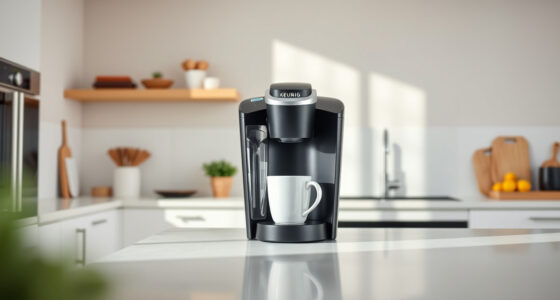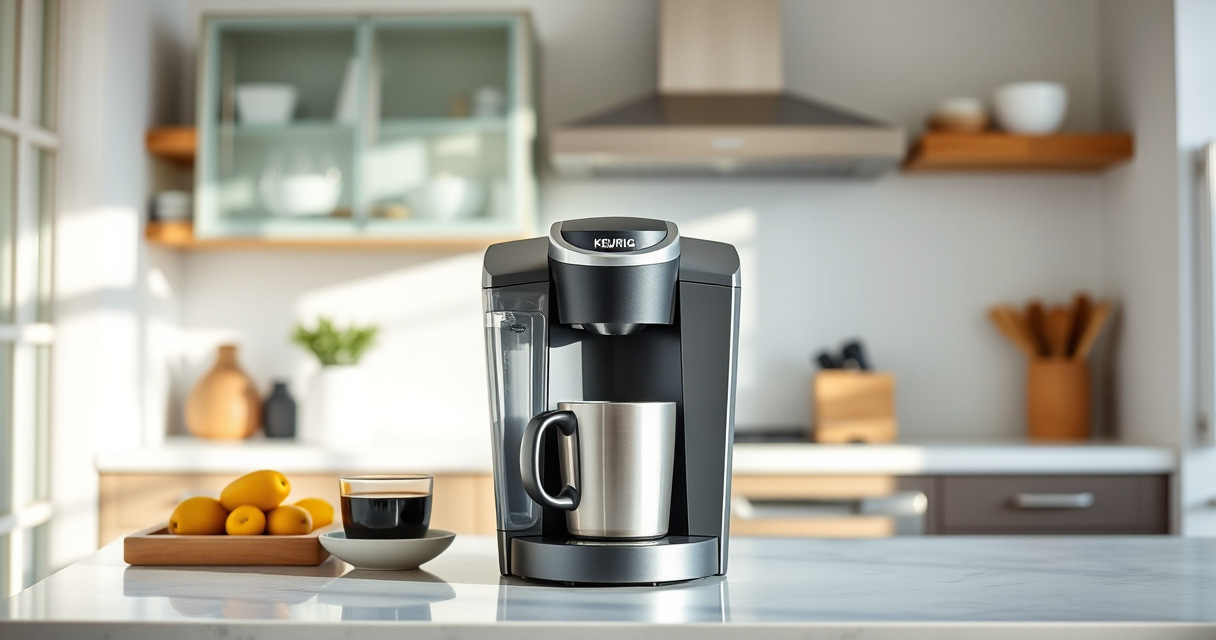
If your Keurig K-Mini or similar model isn’t brewing a full cup, it can be frustrating. Often, the issue stems from mineral buildup, clogs, or water reservoir problems. This guide provides clear, practical steps to diagnose and fix the problem, ensuring your coffee maker brews at its best again.

Get kitchen gear delivered free with Prime
- Fast, free delivery on millions of items
- Prime Video, Amazon Music and more included
- Member-only deals all year
Follow these instructions carefully to restore full brewing performance safely and efficiently.
Key Takeaways
| Common Causes | Mineral buildup, clogs, or reservoir issues |
| Importance of Maintenance | Regular descaling and cleaning improve performance |
| Step-by-Step Fix | Troubleshoot systematically for best results |
| Preventative Tips | Regular cleaning reduces future problems |
Check the Water Reservoir
- Ensure the water reservoir is filled to the appropriate level. Low water can cause incomplete brewing.
- Remove the reservoir and rinse it to remove any debris or buildup.
- Reattach securely, making sure it’s seated properly.
Clean the Needle and Brew Path
- Turn off the machine and unplug it for safety.
- Open the top and locate the needle that punctures the K-Cup.
- Use a paperclip or a Keurig cleaning tool to gently clear any clogs or coffee grounds blocking the needle.
- Run a water cycle without a K-Cup to flush out any residual debris.
Descale the Coffee Maker
Mineral deposits can cause water flow issues, leading to partial brews. Use a descaling product like the Keurig Descaling Solution or similar approved cleaner.
- Fill the water reservoir with a mixture of descaling solution and water, following the product instructions.
- Run several brewing cycles without a K-Cup until the reservoir is empty.
- Rinse thoroughly by running 2-3 cycles with clean water.
Inspect and Clean the Brew Chamber
Residue or mold can accumulate inside the brew chamber, affecting water flow.
- Remove and clean the brew chamber and surrounding areas with a damp cloth.
- Check for any visible blockages or mold and clean thoroughly.
Test the Machine
- Fill the reservoir with fresh water.
- Run a brew cycle to confirm full cup brewing.
- If the problem persists, repeat descaling or check for other blockages.
The Products in This Guide

Keurig K-Mini Single Serve K-Cup Pod Coffee Maker
- ✔ Weight: 5.1 pounds
- ✔ Color: Matte black
- ✔ Capacity: Removable water reservoir

My K-Cup® Reusable Coffee Filter
- ✔ Size: 3.3 inches wide
- ✔ Weight: 2.4 ounces
- ✔ Material: Plastic
Keurig K-Mini Single Serve K-Cup Pod Coffee Maker
The Keurig K-Mini is a compact, space-saving single-serve coffee maker that brews 6-12oz cups quickly. Its simple design makes maintenance easy, and descaling helps keep it performing at its best. Regular cleaning and proper water management can prevent brewing issues like incomplete cups.
Pros:
- Space-efficient design
- Easy to clean
- Fast brewing
- Compatible with reusable filters
Cons:
- Limited to 12oz max
- Requires frequent descaling
- No temperature control
Best for: Small spaces and quick coffee needs
Not ideal for: Heavy use or large volume brewing
Bottom line: A compact and reliable coffee maker ideal for small spaces with regular maintenance.
My K-Cup® Reusable Coffee Filter
The My K-Cup® Reusable Coffee Filter allows you to brew your favorite ground coffee in your Keurig, including the K-Mini. It’s a convenient way to customize your brew and reduce waste.
Pros:
- Brew with ground coffee
- Reusable and eco-friendly
- Easy to clean
- Fits all Keurig models
Cons:
- Requires pre-measuring ground coffee
- Slightly longer brewing time
- May need occasional cleaning
Best for: Custom coffee blends and eco-conscious users
Not ideal for: For those preferring K-Cup pods only
Bottom line: An eco-friendly choice for brewing ground coffee with your Keurig.
Frequently Asked Questions
Why is my Keurig not brewing a full cup?
Common reasons include mineral buildup, clogged needles, or low water levels. Regular cleaning and descaling can resolve these issues.
How often should I descale my Keurig?
It’s recommended to descale every 3-6 months, or more frequently if you notice brewing problems or hard water deposits.
Can I use ground coffee in my Keurig?
Yes, with a reusable filter like the My K-Cup, you can brew your own ground coffee instead of K-Cups.
What safety precautions should I take when cleaning?
Always unplug the machine before cleaning or descaling. Use approved cleaning solutions and avoid immersing the machine in water.
Getting Your Keurig Brewing Full Cups Again
By following these troubleshooting steps—checking the water reservoir, cleaning the needle and brew chamber, and descaling—you can resolve most issues causing your Keurig to brew partial cups. Regular maintenance ensures reliable performance and delicious coffee every time.
If problems persist, consider replacing parts or consulting customer support for further assistance. A well-maintained Keurig provides great-tasting coffee with minimal fuss.
Affiliate disclosure: As an Amazon Associate we earn from qualifying purchases. Prices and availability are accurate as of the time of publishing.
Halloween Picks
halloween
As an affiliate, we earn on qualifying purchases.