
Maintaining your Keurig K-Mini single serve coffee maker is essential for ensuring consistently great-tasting coffee and extending the lifespan of your brewer. Regular cleaning, descaling, and troubleshooting can prevent common issues like clogs, mineral build-up, or poor brew quality. This comprehensive guide will walk you through step-by-step maintenance routines, safety tips, and troubleshooting solutions tailored specifically for your Keurig K-Mini.

Get kitchen gear delivered free with Prime
- Fast, free delivery on millions of items
- Prime Video, Amazon Music and more included
- Member-only deals all year
Whether you’re a new owner or a seasoned user, following these practical instructions will help keep your coffee maker running smoothly and delivering fresh, flavorful brews every time.
Key Takeaways
| Regular Cleaning Prevents Buildup | Clean your K-Mini regularly to prevent residue and flavor carry-over. |
| Descaling is Key | Descale every 3-6 months to remove mineral deposits. |
| Use Proper Cleaning Products | Use Keurig-approved rinse and descaling solutions. |
| Troubleshoot Common Issues | Identify and fix problems like clogs or weak brews quickly. |
Preparing for Maintenance
Before starting any cleaning or descaling process, ensure your Keurig K-Mini is unplugged and cooled down. Gather the necessary supplies: Keurig rinse pods, descaling solution, water filter cartridges if applicable, and a clean cloth. It’s best to perform maintenance regularly—every 3-6 months—to keep your brewer in top shape and prevent the buildup of mineral deposits or mold.
Check the water reservoir and remove any remaining water. Empty and clean the drip tray and exterior surfaces with a damp cloth. Having everything ready will streamline the process and ensure your safety during maintenance.
Cleaning the Brewer
- Remove and wash the water reservoir and drip tray with warm, soapy water. Rinse thoroughly to eliminate any soap residue.
- Clean the exterior surface and around the brew head with a damp cloth. Avoid abrasive cleaners that could damage the matte finish.
- To clear residual oils and flavor carry-over, insert a Keurig rinse pod into the brew chamber and run a brew cycle without a mug. Repeat this process 2-3 times, discarding the rinse water.
- Use a small brush or a cotton swab to clean the area around the needle and the pod holder to ensure no clogs remain.
Descaling Your Keurig K-Mini
Mineral deposits from hard water can clog your machine and affect brew quality. Descaling is a crucial routine, ideally every 3-6 months, or more frequently if you notice slow brewing or weak coffee.
- Pour the descaling solution into the water reservoir according to the manufacturer’s instructions. Fill with water if required.
- Run a brew cycle without a K-Cup or reusable filter, allowing the solution to pass through the system. Repeat until the reservoir is empty.
- Pause the process and let the descaling solution sit in the machine for 30 minutes to loosen deposits.
- Then, refill the reservoir with fresh water and run 3-4 rinse cycles to flush out any remaining descaling solution.
Always follow the specific instructions on your descaling product for best results.
Maintaining and Replacing Water Filters
If your model is compatible with water filter cartridges, such as the Keurig water filter, replacing them every 2-3 months can improve water quality and taste. To replace:
- Remove the old filter from the reservoir.
- Insert the new filter cartridge into the filter holder, ensuring it’s seated properly.
- Run a brew cycle with water to flush the new filter before brewing your coffee.
This simple step helps reduce mineral buildup and prolongs the life of your brewer.
Troubleshooting Common Issues
- Weak or no coffee flow: Check for clogs in the needle or pod holder. Clean with a needle or brush. Also, ensure the water reservoir is filled properly.
- Brewer not turning on: Confirm the power cord is plugged securely and the auto-off feature hasn’t been triggered. Reset the switch if needed.
- Machine leaks or overflows: Inspect the drip tray and ensure the water reservoir is seated correctly. Clear any debris in the needle or pod holder.
- Slow brewing: Descale the machine to remove mineral deposits that slow water flow.
The Products in This Guide

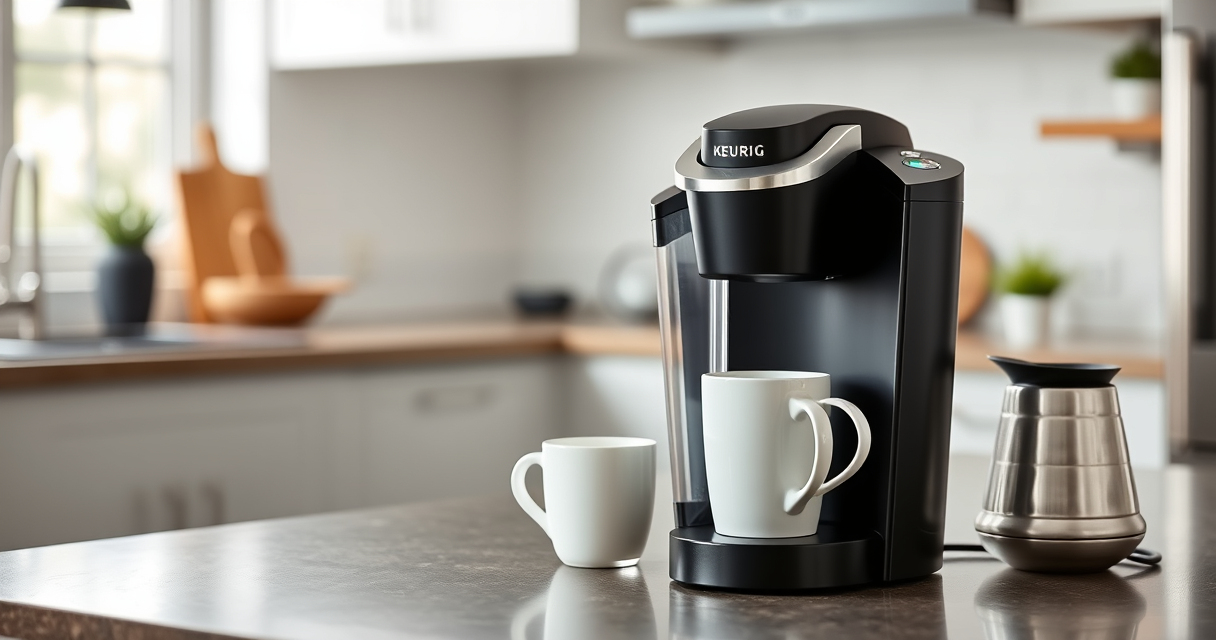
Keurig K-Mini Single Serve K-Cup Pod Coffee Maker
- ✔ Width: Less than 5 inches
- ✔ Brew size: 6-12 oz
- ✔ Mug height: Up to 7 inches

My K-Cup® Reusable Coffee Filter
- ✔ Material: Plastic, mesh
- ✔ Compatibility: Keurig K-Mini
- ✔ Cleaning: Dishwasher safe
Keurig K-Mini Single Serve K-Cup Pod Coffee Maker
The Keurig K-Mini Single Serve K-Cup Pod Coffee Maker offers a sleek, space-saving design without sacrificing convenience or performance. Its simple maintenance routines make it a favorite among busy users who want fresh coffee in minutes.
Pros:
- Compact design fits small spaces
- Brews 6-12oz cups easily
- Removable drip tray for travel mugs
- Auto-off energy saving feature
Cons:
- Limited to single serve use
- No water filter built-in
- Requires frequent descaling in hard water areas
Best for: Small kitchens, dorm rooms, offices
Not ideal for: Large households or those needing multiple cups at once
Bottom line: A space-efficient, easy-to-maintain coffee maker perfect for small spaces.
My K-Cup® Reusable Coffee Filter
The My K-Cup® Reusable Coffee Filter allows you to brew your favorite ground coffee with your Keurig K-Mini, providing more variety and flavor control. Easy to use and clean, it extends the versatility of your brewer.
Pros:
- Brew with ground coffee
- Reduce waste from K-Cups
- Easy to clean and reuse
- Compatible with Keurig models
Cons:
- Requires measuring ground coffee
- May cause clogging if not cleaned regularly
- Slightly longer brew times
Best for: Eco-conscious users, coffee purists
Not ideal for: Those preferring K-Cup convenience
Bottom line: A sustainable way to enjoy your own ground coffee with Keurig.
Frequently Asked Questions
How often should I descale my Keurig K-Mini?
It is recommended to descale every 3-6 months, or more frequently if you notice slow brewing or weak coffee, especially in areas with hard water.
Can I use ground coffee instead of K-Cups?
Yes, using a reusable filter like the My K-Cup® allows you to brew ground coffee with your Keurig K-Mini, providing more variety and reducing waste.
What should I do if my coffee maker leaks?
Check that the water reservoir is seated correctly, clean the needle and pod holder to remove clogs, and inspect the drip tray for proper placement.
How do I clean the exterior of my Keurig?
Wipe with a damp cloth and mild detergent if necessary. Avoid abrasive cleaners to prevent damage to the matte finish.
Is the Keurig K-Mini suitable for travel?
Yes, its compact size and removable drip tray make it travel-friendly, and the cord storage helps keep the setup tidy.
Keep Your Keurig K-Mini Brewing Perfectly
Regular maintenance of your Keurig K-Mini ensures it continues to brew delicious coffee and lasts for years. Follow the cleaning, descaling, and troubleshooting tips outlined here to keep your brewer in prime condition. With proper care, you’ll enjoy consistently fresh brews and a hassle-free coffee experience every time.
Affiliate disclosure: As an Amazon Associate we earn from qualifying purchases. Prices and availability are accurate as of the time of publishing.
Fall Picks
fall essentials
As an affiliate, we earn on qualifying purchases.