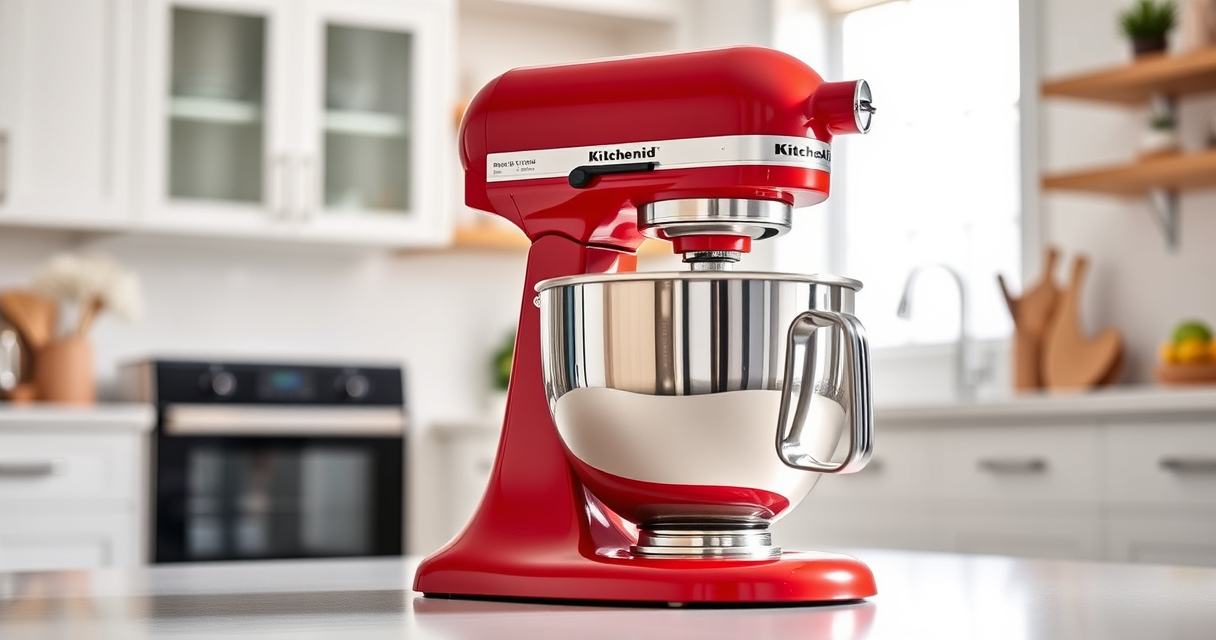

Maintaining your KitchenAid Artisan Series 5 Quart Tilt Head Stand Mixer is essential for ensuring its longevity and optimal performance. Proper care not only extends the life of your mixer but also guarantees consistent, professional-quality results in your baking and cooking endeavors. Whether you’re a casual baker or a serious chef, this comprehensive guide offers practical, safe, and effective maintenance tips and troubleshooting advice tailored specifically for your mixer model.

Get kitchen gear delivered free with Prime
- Fast, free delivery on millions of items
- Prime Video, Amazon Music and more included
- Member-only deals all year
We’ll walk you through routine cleaning, inspecting parts, resolving common issues, and when to seek professional help. With clear, step-by-step instructions, you’ll feel confident in keeping your KitchenAid mixer in top shape for years to come.
Key Takeaways
| Routine Cleaning | Regular cleaning prevents buildup and maintains performance. |
| Inspect & Replace Parts | Check beaters, bowls, and attachments periodically for wear. |
| Troubleshooting Common Issues | Resolve problems like motor overheating or unusual noises. |
| Proper Storage & Usage | Store and operate your mixer according to guidelines to prevent damage. |
| When to Seek Repairs | Identify signs that professional servicing is needed. |
Routine Cleaning and Basic Maintenance
Keeping your KitchenAid stand mixer clean is the foundation of its longevity. After each use, detach the flat beater, dough hook, or wire whip and wash them in warm, soapy water. The stainless steel bowl can be dishwasher safe, but check your manual to confirm. Wipe down the exterior with a damp cloth, paying attention to touchpoints and control knobs to remove any flour or ingredients residue.
Ensure the tilt-head mechanism moves smoothly by applying a small amount of food-grade lubricant if it feels stiff. Regularly inspect the beater shaft and attachment hub for buildup or debris, which can hinder proper function. Avoid abrasive cleaners that could damage the finish, and always dry parts thoroughly to prevent rust. Performing these simple steps weekly will keep your mixer performing reliably and looking great.
Inspecting and Replacing Wear Parts
- Turn off and unplug your mixer before inspection.
- Check the flat beater, wire whip, and dough hook for signs of wear, like cracks or bending. Replace if damaged.
- Examine the bowl for scratches or warping—replace if necessary for optimal mixing.
- Inspect the attachment hub and drive socket for debris or corrosion. Clean with a soft brush or cloth.
- Replace worn parts with authentic KitchenAid attachments to ensure proper fit and performance.
Regular inspection ensures that no damaged parts compromise your mixer’s operation or safety. Using genuine accessories guarantees compatibility and durability.
Troubleshooting Common Issues
- Motor Overheating: If the mixer stops working after prolonged use, it may be overheating. Allow it to cool down for 15-20 minutes before resuming. Ensure you’re not exceeding batch sizes or speeds beyond recommended limits.
- Unusual Noises: Grinding or squeaking sounds often indicate debris in the attachment hub or worn parts. Turn off the mixer, unplug it, and clean the attachment socket. If noise persists, check attachments for damage.
- Mixer Not Turning On: Confirm the mixer is plugged in and the speed control is set to a functional setting. Check the cord and outlet for issues. If still unresponsive, inspect the internal wiring or seek professional repair.
- Uneven Mixing: Ensure the attachments are properly installed and the bowl is correctly seated. Distribute ingredients evenly and avoid overfilling the bowl.
Addressing these common issues promptly will keep your mixer running smoothly and prevent costly repairs.
Proper Storage and Usage Tips
Storing your KitchenAid mixer correctly is key to maintaining its appearance and function. Store it on a stable, dry surface away from extreme temperatures. If you have multiple attachments, keep them organized in their storage case or designated drawer for quick access and protection from dust.
When operating your mixer, always lock the tilt-head securely in place before starting. Do not overload the bowl—refer to your manual for maximum batch sizes—to prevent motor strain. Use the appropriate speed setting for each task: slow speeds for mixing dry ingredients and higher speeds for whipping or aerating. Avoid using metallic tools that can scratch the surface or damage attachments.
When to Seek Professional Repair
If your mixer exhibits persistent issues such as motor failure, electrical problems, or significant mechanical damage, it’s best to consult a professional repair service or contact KitchenAid customer support. Attempting to repair internal components without proper training can void warranties or cause further damage.
Ensure your warranty is valid before seeking repairs, and keep records of maintenance and repairs for future reference. Regular professional check-ups can also help identify potential issues early, saving you money and extending your mixer’s life.
The Products in This Guide

KitchenAid Artisan Series 5 Quart Tilt Head Stand Mixer
- ✔ Weight: 26 pounds
- ✔ Warranty: 1 year limited
- ✔ Includes: Pouring shield, flat beater, dough hook, wire whip

KitchenAid Stand Mixer Attachment
- ✔ Weight: 6 pounds
- ✔ Attachment Size: Approx. 9 inches long
- ✔ Warranty: 1 year
KitchenAid Artisan Series 5 Quart Tilt Head Stand Mixer
<p>The KitchenAid Artisan Series 5 Quart Tilt Head Stand Mixer is built with robust metal construction, offering durability for everyday use. Its 59 touchpoints around the bowl ensure thorough mixing, while the tilt-head design provides easy access for cleaning and adding ingredients. Easy to clean and maintain, it’s a reliable choice for both casual and serious bakers.</p>
Pros:
- Robust metal construction
- 59 touchpoints for thorough mixing
- Tilt-head for easy access
- Dishwasher safe bowl
Cons:
- Can be heavy to lift
- Limited to KitchenAid attachments
- Requires regular cleaning to prevent buildup
Best for: Bakers who want a durable, high-capacity mixer for frequent use
Not ideal for: Users seeking lightweight or budget options
Bottom line: A durable, versatile mixer that combines performance with ease of maintenance.
KitchenAid Stand Mixer Attachment
<p>The KitchenAid Metal Food Grinder attachment allows you to process meats, vegetables, and more with your stand mixer, expanding its functionality. Easy to attach and clean, it’s perfect for home chefs who want fresh, homemade ingredients.</p>
Pros:
- Versatile grinding options
- Includes multiple plates
- Sturdy metal construction
- Easy to store
Cons:
- Requires additional space
- Needs pre-chilling for best results
- Attachment sold separately
Best for: Home cooks interested in fresh, homemade ground foods
Not ideal for: Those looking for a compact or budget-friendly option
Bottom line: A practical addition for creating fresh, homemade ground foods with your KitchenAid mixer.
Frequently Asked Questions
How often should I clean my KitchenAid stand mixer?
Clean your mixer after each use by washing the attachments and wiping down the exterior. Deep cleaning monthly ensures optimal performance.
Can I use metal tools or attachments on my mixer?
It’s best to use only approved attachments and avoid metallic tools directly on the mixer’s surface to prevent scratches or damage.
What should I do if my mixer is overheating?
Allow the mixer to cool for 15-20 minutes before resuming use. Avoid overloading bowls or running at high speeds for extended periods.
How can I tell if a part needs replacing?
Look for cracks, deformation, or excessive wear. If the attachment doesn’t fit properly or the mixer makes unusual noises, replacement may be necessary.
Are accessories dishwasher safe?
Most stainless steel attachments are dishwasher safe, but check your manual to confirm. Hand wash plastic or rubber parts to prolong their lifespan.
Keep Your KitchenAid Mixer Running Like New
Regular maintenance and prompt troubleshooting are key to getting the most out of your KitchenAid stand mixer. By cleaning, inspecting, and addressing issues early, you can ensure it remains a reliable workhorse in your kitchen for years to come. Remember, proper handling and occasional professional servicing will keep your mixer performing at its best, whether you’re baking cookies or preparing homemade pasta.
Affiliate disclosure: As an Amazon Associate we earn from qualifying purchases. Prices and availability are accurate as of the time of publishing.